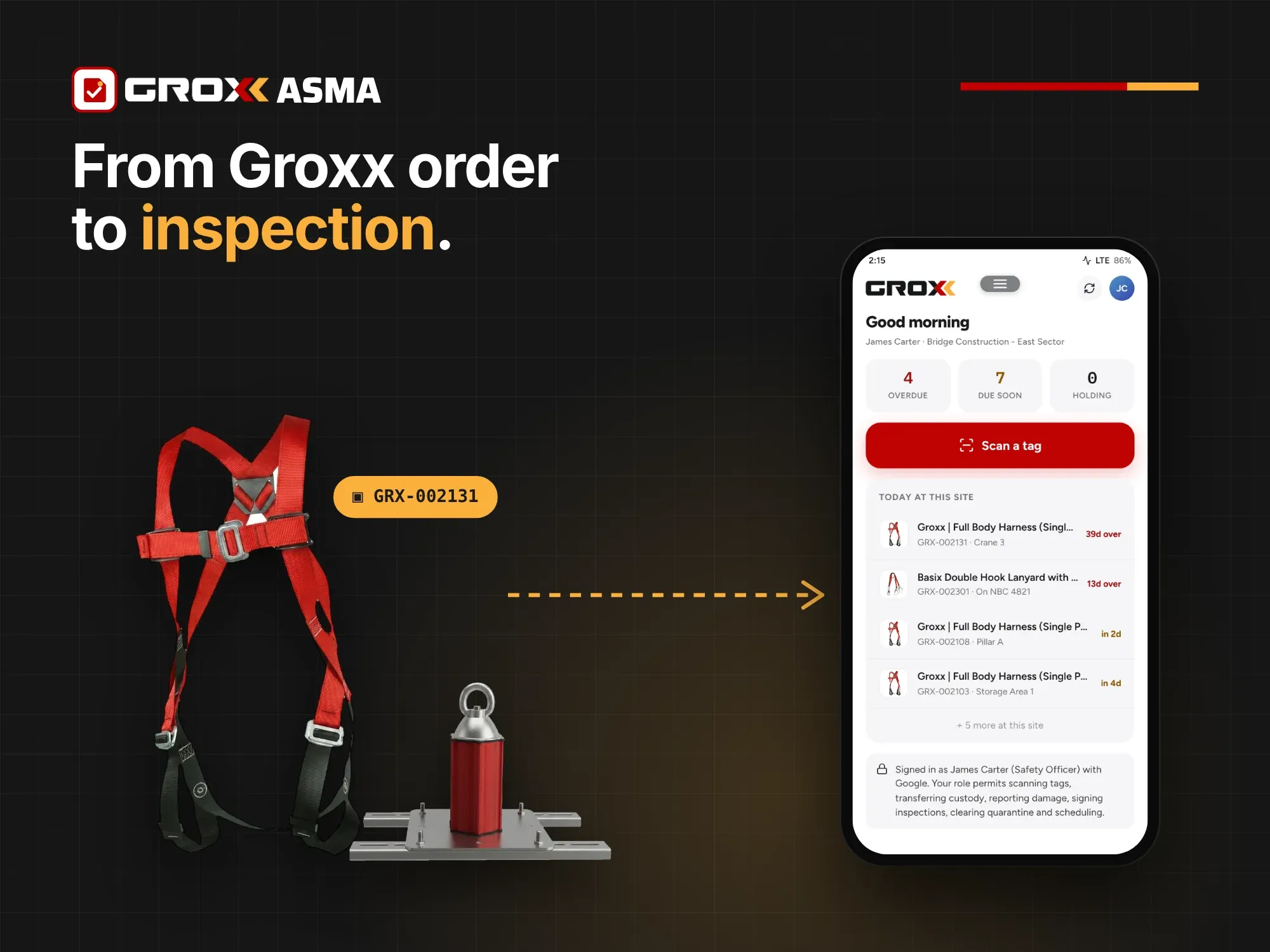
Most compliance software starts with a blank register. Someone has to type in every harness, lanyard, anchor and lifeline: the product name, part number, standard, inspection interval and where it is installed. That data entry is where errors creep in, and it is often why asset registers go stale within months.
Groxx ASMA works differently with Groxx equipment. Because the same company designs the system, supplies the components and builds the software, Groxx assets arrive in ASMA already described. Components, data sheets and standards come straight from the Groxx catalogue. This article follows a Groxx asset from design to retirement and shows where that connection saves time and removes risk.
In short: design the system in Groxx Gear Force, order it from Groxx, and import the order into ASMA. Every anchor, lifeline component and item of PPE becomes a tracked asset with the right checklist, standard and data sheet from day one. You scan it, inspect it and prove it, with no re-typing in between.
1. Design: the bill of materials is already the asset list
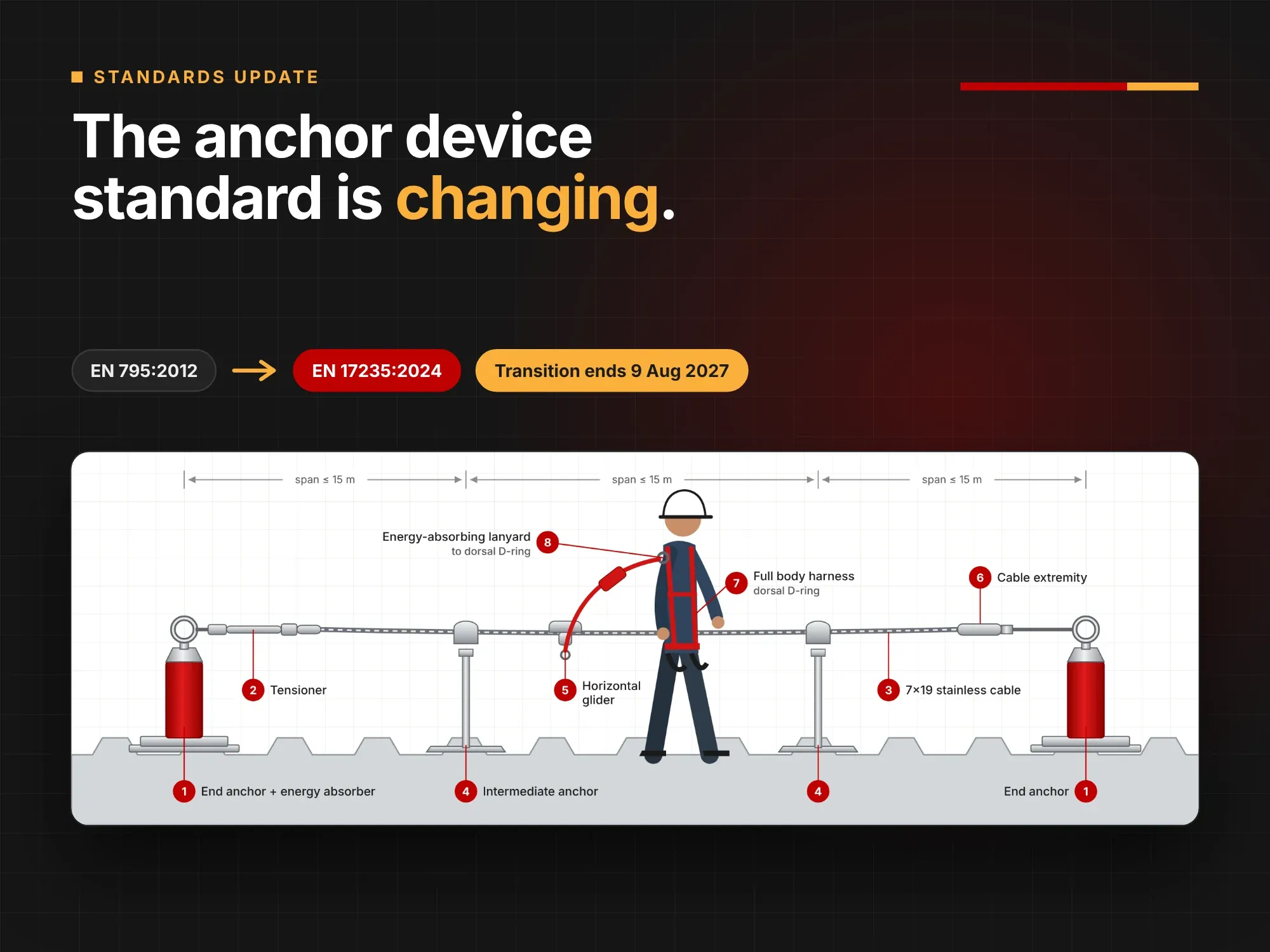
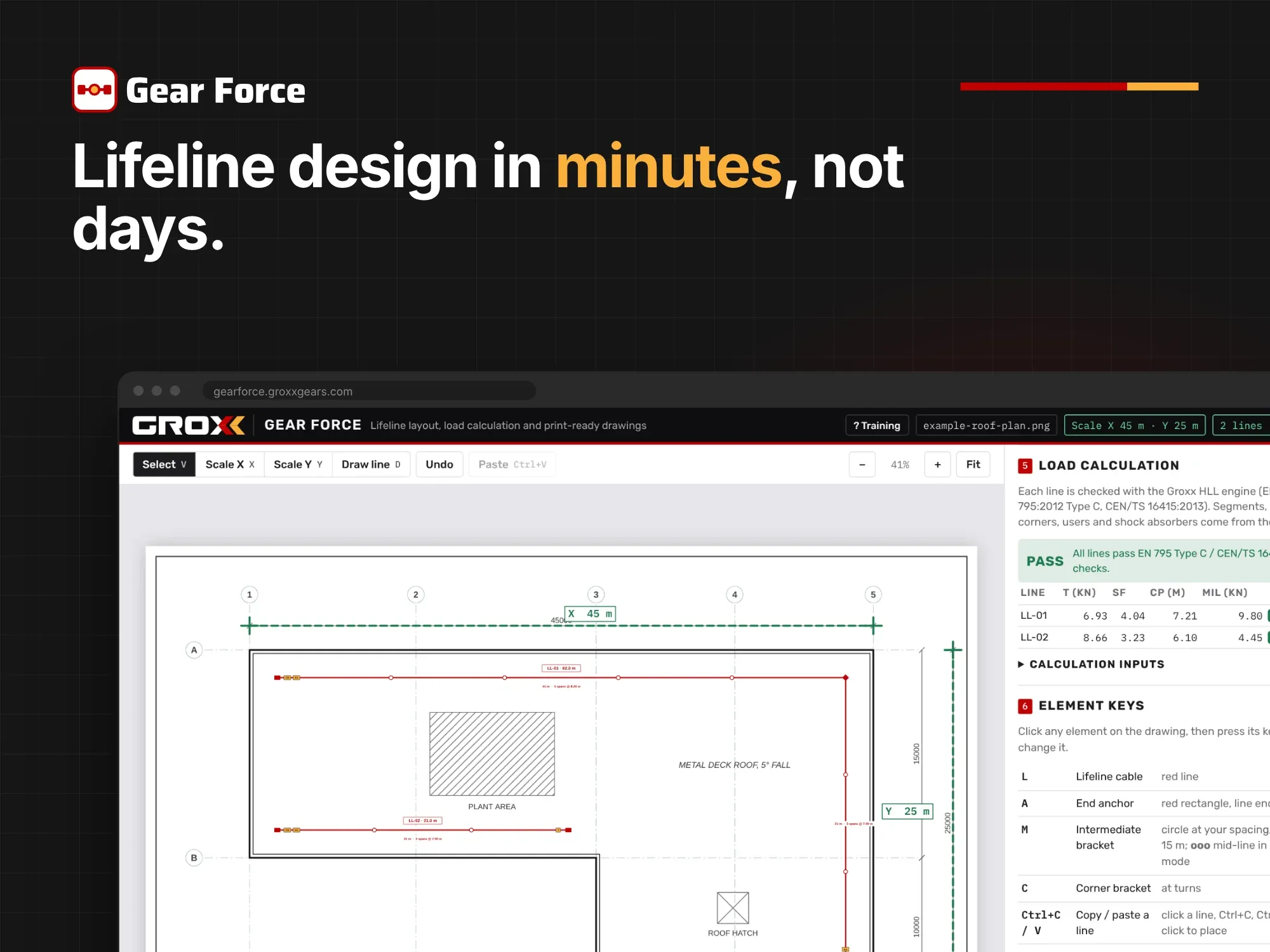
A horizontal lifeline designed in Gear Force ends with a bill of materials: end anchors, intermediate anchors, corner brackets, tensioner, shock absorber, cable extremities, wire rope and gliders, each with its Groxx part number and quantity. That BOM is the exact list of components that will be installed on the roof.
Systems designed in Gear Force and supplied by Groxx can be imported straight into ASMA. The design and the register describe the same equipment, so nothing needs to be re-entered and nothing can go missing between drawing and site.
2. Order: Groxx products come in with their catalogue data
Whether an order is a full lifeline system, a set of anchor points or a batch of harnesses and lanyards, the assets can be added to ASMA directly from your Groxx order. Each record starts with what is already known about the product:
- Product name and Groxx part number, for example the Full Body Harness FBH80010 or the Integrated Mechanical Energy Absorber GGIMEA052.
- The standard it is made to, such as EN 361 for harnesses, EN 360 for self-retracting lifelines, EN 362 for connectors, EN 353-1 for vertical lifelines and EN 795 for anchor devices.
- The product data sheet, the same single-page sheet you can download from every Groxx product page, with its technical data and QR link.
- The equipment type, which decides the standards-based inspection checklist the field app will use.
For assets from other suppliers, the same details have to be found and typed in by hand. For Groxx assets they are already there.
3. Handover: tag once, track for life
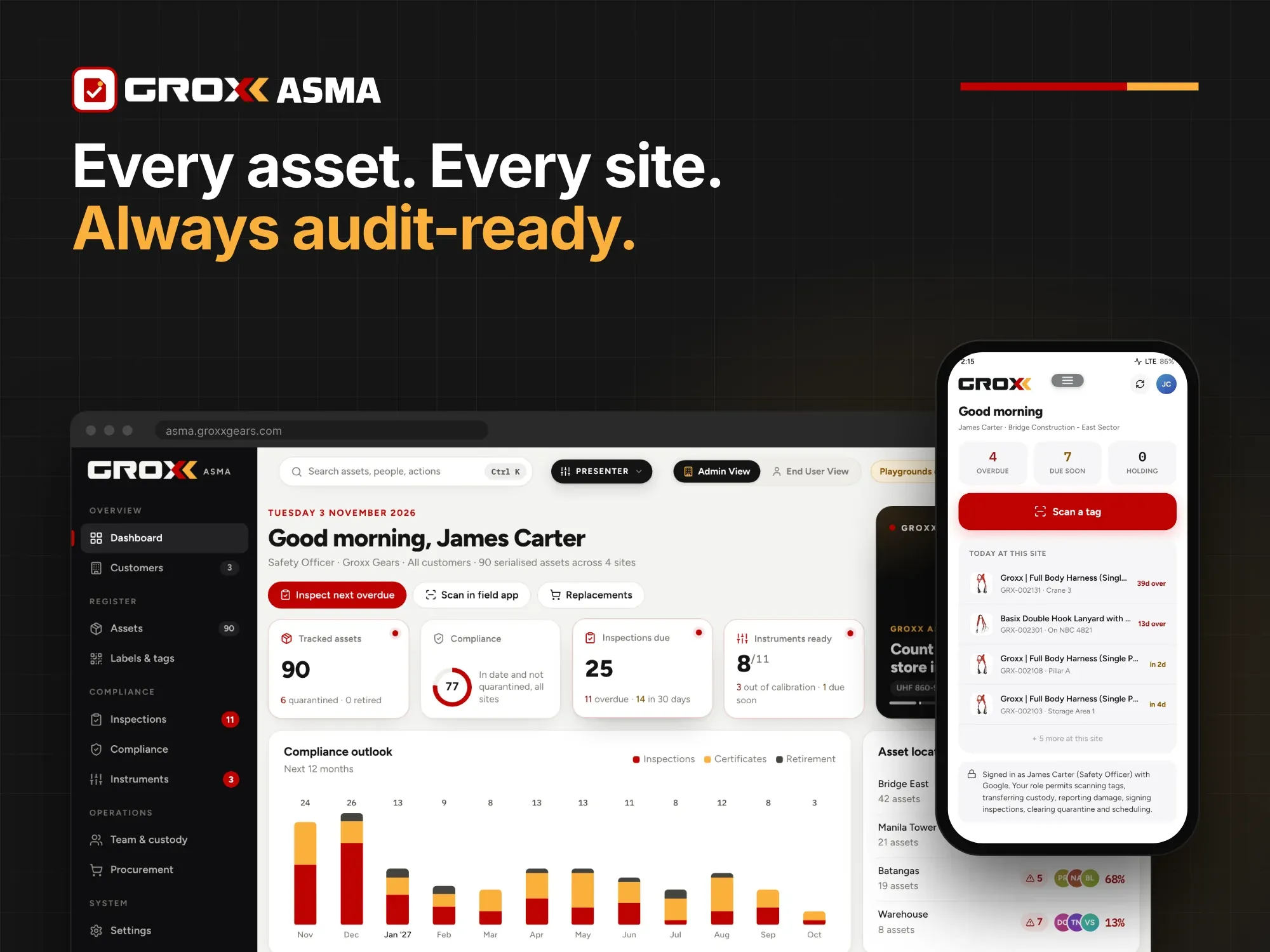
At installation or issue, each asset is fitted with an ASMA QR tag and assigned to its customer, site and location: "Roof B", "Tower 2", "Pump station", or a named PPE store. From that point, the installation record and every later inspection sit in one file.
Tip: tag assets at handover, not at the first inspection. The installation certificate, the as-built drawing from Gear Force and the first periodic inspection then all live on the same record.
4. Inspect: the right checklist, on site, in seconds
Inspectors scan the tag with the field app. Because ASMA already knows it is looking at, say, a Groxx Tripod GGTPD047 or a V-Line Shuttle GGVLSL016, it opens the checklist for that equipment type. The inspector does not have to pick a form or remember which points apply. The result updates the register and the dashboard as soon as it is saved.
That consistency matters. Every inspector checks the same points for the same product, and the record shows exactly what was checked and when. The data sheet is one tap away if the inspector needs to confirm a specification on site.
5. Act: quarantine and replace with the right part
When an item fails, it is marked quarantined and stays visibly out of service until it is inspected and released, or retired. With Groxx assets, the record already holds the Groxx part number, so ordering a like-for-like replacement is straightforward. A damaged glider is replaced with a GGSL054. A deployed shock absorber is replaced with the same model, not whatever is in the van.
The replacement can then be added to the register from its order and tagged in the same way, so the system's history stays continuous.
6. Prove: audit-ready records without the paperwork
When an auditor, client or safety officer asks for proof, ASMA produces print-ready inspection packs and certificates. Because each Groxx asset carries its product details, standards and data sheet, the pack answers the usual follow-up questions in one document: what the equipment is, what it is certified to, when it was last inspected, and by whom.
Groxx assets vs. generic assets in ASMA
| Step | Groxx asset | Asset from another supplier |
|---|---|---|
| Adding to the register | Imported from the Groxx order or Gear Force BOM | Entered manually, item by item |
| Product details and part number | Already filled in from the Groxx catalogue | Typed in from the label or invoice |
| Standard and data sheet | Attached from the Groxx catalogue | Found and uploaded separately |
| Inspection checklist | Set by the Groxx equipment type | Chosen and configured per asset |
| Replacement | Like-for-like by Groxx part number | Depends on what was recorded |
Who benefits most
- Installers and service contractors: a job designed in Gear Force goes into ASMA as the client's asset list, ready for the first periodic inspection. See ASMA applications and use cases.
- Facility managers: new lifelines, anchors and davits arrive with complete records, so the building's register is right from handover.
- PPE stores and safety officers: a delivery of harnesses and lanyards can be registered from the order and tagged before first issue.
One system, from drawing to audit
Groxx Gear Force designs it, Groxx supplies it and Groxx ASMA looks after it. Keeping the whole chain in one family means the information created at each step is reused at the next, instead of being re-typed, lost or guessed.
To see how your Groxx equipment would look in ASMA, contact our team for a walkthrough using one of your own sites, or visit the Groxx ASMA page.
Frequently asked questions
Can I import equipment I bought from Groxx in the past?
Contact our team with your order details and we will help you bring existing Groxx systems into ASMA.
Can ASMA track equipment from other brands?
ASMA is built around Groxx systems. Contact us to discuss registering equipment from other suppliers on your sites. Those assets are added and described manually.
Does ASMA replace the competent inspector?
No. ASMA makes sure inspections happen on time, are recorded consistently and can be proven afterwards. The inspection itself must still be carried out by a competent person, following the manufacturer's instructions and applicable regulations.